There is a category of work that feels productive but is not. Data moved from one tool to another. Notifications sent manually after a task is completed. Spreadsheets updated because two systems do not talk to each other. This work takes time, creates errors, and occupies attention that should be on something harder to replace.
Make.com is a visual workflow automation platform. You connect the tools you already use and define what should happen when a trigger fires: when a form is submitted, send the data to a spreadsheet and notify a Slack channel. When a new subscriber joins a list, add them to a CRM and send a welcome email. When a social post is published, log it in a tracker. The logic is visual, the connections are drag-and-drop, and the result is work that runs without you.
The connection to Continuity is structural. The Method treats systems as the foundation of sustained output. Automation is the extension of that principle: a system that runs itself is more reliable than a system that depends on you remembering to run it. Make.com is the tool that builds those systems without requiring a developer.
What Make.com Does Differently
Make.com’s visual scenario builder is its primary differentiator. Where some automation tools use a linear trigger-action format, Make.com allows branching logic, iterators, filters, and error handling in a flowchart-style interface. This makes it possible to build automations that handle edge cases, not just the simple path.
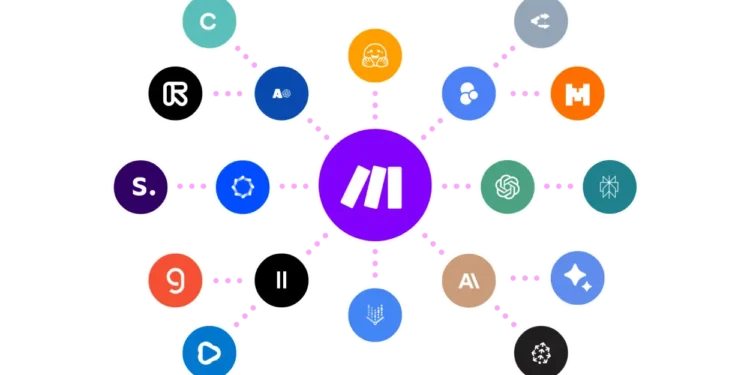
The platform connects to over 1,500 apps. Google Workspace, WordPress, Airtable, Notion, Slack, email platforms, CRMs, social media tools, and dozens of others can be wired together without custom code. For someone building a content operation, a consulting practice, or an impact organization across multiple tools, Make.com is the connective layer that removes the manual work between them.
The Honest Part
Make.com has a learning curve. The visual interface is more powerful than basic automation tools, which also means it takes longer to learn. Simple automations are manageable from the first session. Complex multi-step scenarios with conditional logic take time to build correctly and debug when something breaks.
The pricing is based on operations per month, which means heavily used automations can accumulate costs quickly. Audit your scenarios periodically to identify ones that run frequently but deliver low value, and restructure them to use fewer operations.
Three Principles Worth Keeping in Mind
- Automate the task you do most often, not the most interesting one. The highest return on automation time comes from eliminating the highest-frequency manual steps. Start with what you do daily or weekly before building complex scenarios.
- Document every scenario before you build it. Write out the trigger, the logic, the expected output, and what should happen if something fails. This step catches design problems before they become debugging problems.
- Build error handling into every scenario from the start. Make.com allows you to define what happens when a step fails. Scenarios without error handling fail silently and create data problems that are harder to trace than the automation was to build.
Where This Fits in the Bigger Picture
The goal of automation is not to do less work. It is to do more meaningful work by removing the work that should not require a human. Every hour recovered from manual data transfer, manual notification, or manual logging is an hour available for the thinking and creating that actually builds something.
For anyone building a personal brand, a consulting practice, or an impact organization, Make.com is the infrastructure that makes Impact at scale possible without a proportional increase in operational overhead.
FAQ
How does Make.com compare to Zapier?
Both platforms connect apps and automate workflows. Make.com offers more visual complexity, branching logic, and lower pricing per operation at scale. Zapier is simpler to learn and has a larger library of direct integrations. For straightforward trigger-action automations, Zapier is faster to set up. For complex multi-step logic with conditional paths, Make.com is more capable and more cost-effective at volume.
Does Make.com work with WordPress?
Yes. Make.com has a native WordPress integration that allows you to trigger scenarios from WordPress events such as new posts, new users, or form submissions, and to create or update WordPress content from other tools. For anyone running a WordPress-based content operation, this integration is one of Make.com’s most practical entry points.