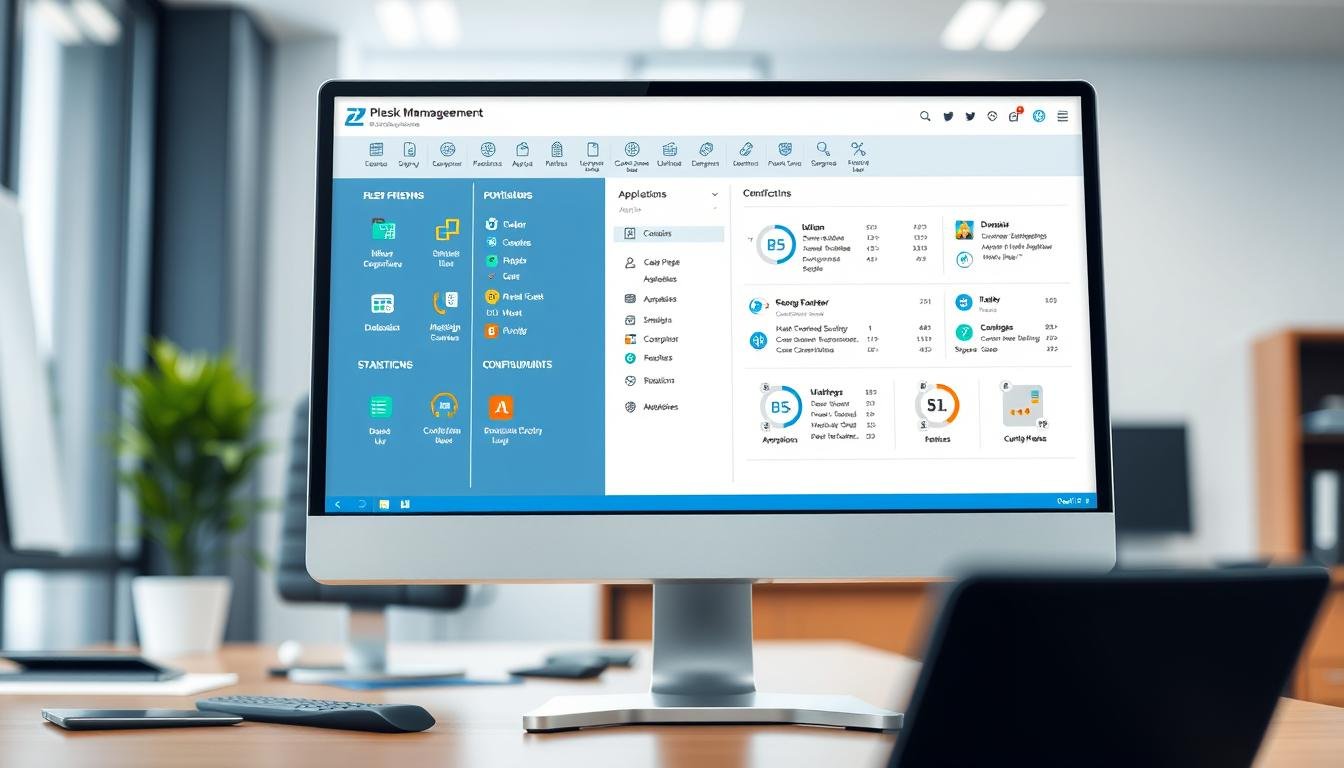
Managing a website or server can feel complex. A good control panel makes it simple. This tool helps you handle your hosting with ease.
Plesk is a top choice for many users. It works on both Windows and Linux servers. You can use it with CentOS, Ubuntu, and other platforms.
This article explores its key benefits and features. We cover how it improves efficiency and security. You will learn about pricing and how to get started.
Our goal is to help you decide if it fits your needs. Read on to see how it can simplify your server management.
Key Takeaways
- Plesk offers a user-friendly interface for managing servers and websites.
- It supports both Windows and Linux operating systems seamlessly.
- Automation tools save time and reduce manual tasks for users.
- Enhanced security features include SSL management and firewall controls.
- Scalable plans make it suitable for businesses and individual users.
- Integration with modern web stacks like Docker improves functionality.
- Hosting providers like Hostinger offer Plesk with their VPS plans.
What is Plesk Control Panel?
Many people find server management overwhelming without the right tools. A quality control panel transforms this complex task into something manageable.
Definition and Core Functionality
This hosting control panel serves as a centralized management system. It lets users handle multiple aspects of their virtual private servers through one interface.
You can manage domains, emails, and databases without separate tools. The system eliminates the need for FTP clients for file management.
Automation features handle routine tasks like updates and script execution. This saves significant time for server administrators.
Operating System Compatibility
The panel works seamlessly across different operating systems. It supports both Windows Server and Linux distributions.
Popular Linux platforms include Ubuntu, Debian, and CentOS. This flexibility makes it ideal for various hosting environments.
Many hosting providers integrate this solution with their VPS plans. Hostinger, for example, offers it as part of their virtual private server packages.
Target Audience and Use Cases
Web professionals and hosting companies benefit greatly from this tool. It’s perfect for managing multiple websites and client accounts.
Resellers and agencies find the multi-domain management particularly valuable. The system supports scalable environments for growing businesses.
Use cases include automating repetitive tasks and managing virtual hosts. Integration with Docker allows for containerized application management.
The user-friendly interface welcomes both beginners and experts. It reduces the need for deep technical knowledge while offering advanced features.
This control panel simplifies server management for diverse users. It sets the foundation for exploring its numerous benefits in detail.
Key Benefits of Using Plesk for Your Server
Modern web management demands solutions that provide clear operational advantages. The right control panel transforms how you handle server resources and website operations.
Simplified Website Management
This platform centralizes all essential management tasks into one intuitive interface. Users can handle domains, databases, and email accounts without switching between multiple tools.
The built-in file manager allows direct modification of website files. This eliminates the need for separate FTP clients and saves valuable time.
Multi-domain support makes it ideal for agencies and resellers. They can manage numerous sites from a single dashboard efficiently.
Improved Operational Efficiency
Automation tools streamline repetitive tasks through scheduled commands and script execution. This reduces manual effort significantly.
PHP script execution and URL fetching happen automatically based on your settings. Routine updates and maintenance become hands-off processes.
Extensions like the HTML code editor further enhance productivity. They integrate directly into your workflow without additional software.
Enhanced Flexibility and Scalability
SSH access provides advanced users with complete control over server permissions. This allows for deep customization when needed.
NGINX caching ensures strong performance during traffic spikes. Websites maintain speed and reliability under heavy load conditions.
The system dynamically manages computing resources for growing businesses. It scales seamlessly as your hosting needs expand.
These advantages translate into real cost savings and time efficiency. Better performance and streamlined operations make this solution worth considering for any serious web project.
Essential Plesk Features for Modern Web Management
Effective web administration requires tools that handle both development and security needs. This control panel delivers comprehensive features for complete server oversight.
Modern Web Stack Components
The platform includes Composer for PHP dependency management. Users install libraries with one-click convenience.
Docker integration enables containerized application deployment. You can run services directly from Docker Hub.
MongoDB support provides flexible database solutions. This scalable system handles growing data needs efficiently.
Integrated Security Tools
SSL It! simplifies certificate purchasing and configuration. This ensures encrypted connections for all domains.
Firewall management protects against various online threats. SNI technology enhances email security protocols.
Self-repair tools automatically diagnose and fix server issues. Advanced monitoring tracks resource consumption per domain.
Backup and Recovery Capabilities
Cloud-based backups offer space-efficient data protection. Scheduled options run automatically without manual intervention.
These features safeguard against cyber attacks and data loss. Recovery processes restore services quickly after incidents.
Domain and Email Management
Users can add, remove, or move domains through simple controls. Hosting types and statuses change with minimal effort.
Email autodiscovery automatically configures client applications. This eliminates manual setup steps for new accounts.
These capabilities streamline the entire web project lifecycle. From development to maintenance, everything becomes more manageable.
Plesk WordPress Toolkit: Streamlining CMS Management
WordPress management becomes effortless with specialized tools that streamline CMS operations. This integrated solution transforms complex administration into simple, click-based tasks.
One-Click Installation and Setup
The toolkit offers single-click installation for WordPress core files. Users can add databases, themes, and plugins simultaneously.
This eliminates manual configuration steps that typically consume valuable time. Beginners can launch professional websites without technical expertise.
Staging Environment Management
Create separate development spaces to test changes safely. This staging environment mirrors your live website perfectly.
Experiment with new designs and features without affecting visitor experience. Deploy approved modifications to production with one click.
Security Scanning and Hardening
Regular scans identify potential vulnerabilities in your WordPress installation. The system checks for malware, outdated components, and weak configurations.
Hardening options automatically apply security best practices. These measures protect your content and user data from threats.
Automatic Updates and Compatibility Testing
The toolkit manages updates for WordPress core, themes, and plugins. It first tests compatibility using clone websites.
This prevents conflicts that could disrupt your website services. Updates proceed only when stability is confirmed.
While optimized for WordPress, the platform also supports Joomla and Drupal. Web agencies use these features to manage multiple client sites efficiently.
These capabilities significantly reduce maintenance effort while improving reliability. They complement the operational efficiency and scalability discussed earlier.
Plesk Versions and Pricing Comparison
Understanding pricing tiers helps users match features with their hosting needs. The right plan balances domain capacity with management tools.
Current offerings include multiple editions for different use cases. Providers like Hostinger implement these on their virtual private servers.
Plesk Onyx vs. Plesk Obsidian
Onyx represents the legacy version that reached end-of-life status. It lacks current security updates and feature improvements.
Obsidian is the modern iteration with enhanced functionality. Hostinger’s VPS hosting uses this version on CentOS and Ubuntu templates.
Upgrading from Onyx to Obsidian requires no additional license fee. This ensures users access the latest tools without extra cost.
Edition Comparison: Web Admin vs. Web Pro vs. Web Host
The Web Admin Edition starts at $12.38 monthly for 10 domains. It includes limited WordPress toolkit features for basic sites.
Web Pro Edition costs $18.79 per month supporting 30 domains. This plan unlocks full toolkit access for comprehensive management.
Web Host Edition runs $32.54 monthly for VPS installations. It allows unlimited domains and reseller management capabilities.
Business Plan Features and Pricing
Business plans begin at $250 per month with premium benefits. They include all extensions and priority 24/7 support.
Users receive a dedicated account manager for personalized assistance. This tier suits organizations requiring maximum resources and security.
These hosting plans scale with growing business demands. They ensure optimal performance for high-traffic applications.
Choosing the right edition depends on your domain count and feature requirements. Smaller sites benefit from Web Admin while agencies need Web Host.
Business plans deliver enterprise-grade control panel functionality. They provide complete server management with expert support.
Getting Started with Plesk Hosting
Implementing a control panel begins with proper licensing and configuration. The setup process is straightforward when you follow the right steps.
Most web hosting providers offer streamlined installation options. This makes the initial deployment quick and efficient.
License Acquisition and Installation
You need a valid license before installation begins. Many hosting companies include this with their virtual private server plans.
Providers like Hostinger simplify the process through their hPanel interface. The operating system configuration menu handles the installation automatically.
DigitalOcean users can deploy on Droplets in minutes. The system guides you through each step with clear instructions.
Server Configuration Best Practices
Choose pre-configured templates for optimal results. AlmaLinux templates provide excellent stability and performance.
Always enable security settings during initial setup. This protects your data and resources from potential threats.
Configure your environment for future growth. Proper setup saves time and prevents issues later.
Integration with Popular Hosting Providers
Most web hosting providers support seamless integration. Hostinger offers particularly smooth implementation.
Their AI assistant Kodee helps verify license activation. This ensures everything works correctly from the start.
The control panel connects easily with various platforms. You get full access to all management features immediately.
Begin with domain pointing and email configuration. Follow your provider’s security recommendations for best results.
Troubleshooting resources are available if issues arise. Support teams can help with common installation challenges.
The entire process is designed for user convenience. You can get your website running quickly with minimal effort.
Starting with this control panel is easier than many expect. Choose your hosting plan and begin the setup process today.
Conclusion: Is Plesk the Right Choice for You?
Choosing the right server management tool impacts your daily workflow and long-term success. This control panel delivers exceptional value through its comprehensive feature set.
It simplifies website management across Windows and Linux environments. Users enjoy streamlined operations with automation tools and robust security features.
The system supports modern web stacks and offers reliable backup solutions. WordPress management becomes effortless with specialized toolkit integration.
Flexible hosting plans cater to various needs and budgets. From individual websites to enterprise solutions, there’s an option for everyone.
Assess your requirements for domain management and technical resources. This platform excels for web professionals managing multiple sites.
Ready to enhance your server experience? Explore hosting plans from providers like Hostinger to get started today. Leverage their support resources for smooth implementation.
This solution combines performance, security, and user-friendly design. It remains a top choice for modern web hosting needs.
FAQ
What is the Plesk control panel?
The Plesk control panel is a web hosting platform that simplifies server and website management. It provides a user-friendly interface for handling domains, emails, security, and applications.
Which operating systems support Plesk?
Plesk supports both Windows and Linux operating systems, offering flexibility for users to deploy it on their preferred server environment.
Who should use Plesk?
Plesk is ideal for web professionals, businesses, and hosting providers who need an efficient tool to manage websites, applications, and server resources without deep technical expertise.
How does Plesk improve server management?
It centralizes control, automates routine tasks, and offers intuitive tools for managing domains, security, backups, and performance—saving time and reducing errors.
Can Plesk handle WordPress sites?
Yes, Plesk includes a WordPress Toolkit for one-click installation, updates, security scans, and staging environments, making CMS management straightforward.
What security features does Plesk offer?
Plesk provides integrated security tools like firewalls, SSL certificate management, malware scanning, and automated updates to help protect your server and websites.
How do I get started with Plesk hosting?
You can acquire a license directly or through a hosting provider, install it on your server, and follow best practices for configuration to ensure optimal performance and security.
What are the differences between Plesk editions?
Plesk offers various editions (like Web Admin, Web Pro, and Web Host) with tiered features—such as resource limits and management tools—to match different user needs and budgets.