

L’autonomie n’est pas l’absence d’effort. C’est le point où un système vous a porté à travers au moins une semaine vraiment difficile sans que vous ayez à le forcer. Le Point de Contrôle d’Autonomie rend cela précis, et met une vraie date sur votre calendrier.
Un vague projet d’y revenir un jour
Les vagues projets d’y revenir un jour sont exactement le genre d’intention que toute cette démarche est conçue pour repérer.
Fixer une vraie date compte plus qu’il n’y paraît. L’autonomie est une chose précise et vérifiable, pas un sentiment, et elle mérite un moment précis et vérifiable pour la confirmer.
Pour qui, et combien de temps
Environ 7 minutes. Fonctionne mieux après le Planificateur de la Phase de Fondation et le Plan d’Ajustement à Une Variable.
Ce que contient l’exercice
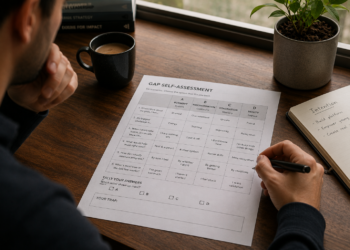
- Un champ de définition.
- Un champ de date.
Comment en tirer le meilleur parti
Mettez la date quelque part où vous la verrez réellement, pas seulement dans ce cahier.
Ce qui change si vous le faites vraiment
Le résultat immédiat est une ligne d’arrivée définie et une vraie date. Le bénéfice, c’est un moyen concret de savoir si le système tient, pas une supposition. L’impact, c’est que le système est vérifié au lieu d’être oublié en silence.
Télécharger Le Point de Contrôle d’Autonomie
Prochaine étape : Mon Shift Wheel, le document d’une page qui rassemble tout ce qui vient de cette bibliothèque.
FAQ
En quoi est-ce différent du Plan de Mise en Œuvre sur 90 Jours complet ?
Le plan complet couvre les trois phases en un seul document. Ceci n’est que la dernière phase, l’Autonomie.
Et si ma date de vérification arrive et que le système ne tourne pas encore seul ?
C’est une information utile. Retournez au Plan d’Ajustement à Une Variable et ajustez à nouveau.
Combien de temps dois-je attendre avant de fixer ce point de contrôle ?
Assez longtemps pour inclure une semaine vraiment difficile, souvent entre 4 et 6 semaines après le début de la phase de Fondation.

![Why Does Your System Only Work When You Feel Like It? (The Two Parts Every System Actually Needs) Every system that holds has the same starting point: a fixed trigger and one small, defined action. The Trigger-Action Designer builds both in about 7 minutes, the two parts most plans skip in favor of just deciding to try harder. A system is a structure, not a feeling At IBM, we didn’t manage large accounts by hoping the team felt inspired on a given Tuesday. We built fixed checkpoints, specific and repeatable. I didn’t think of that as a life skill at the time. It is one. A trigger has to be fixed, never “whenever I feel like it,” and an action has to be small enough to do without deciding. Who this is for, and how long it takes About 7 minutes. For anyone who has an intention but no system carrying it yet. What’s inside A trigger field. An action field. A worked example. How to get the most out of it Resist making the action bigger than it needs to be. Small enough to do without deciding is the whole point. What changes if you actually do this The output is one designed system start. The outcome is that the action becomes something you don’t have to decide on. The impact is that your intention gets a structure to run on. Download The Trigger-Action Designer [Download button placeholder, to be added.] Next step: The Follow-Through Tracker, which adds the part most systems skip and runs the whole thing for the first time. FAQ How is this different from the full Continuity Design Template? The full template includes the follow-through step too, in one sitting. This is the first half, for a quick start. What if I can’t think of a good trigger? Anchor it to something that already happens every day, closing your laptop, making coffee, a specific time. Consistency matters more than cleverness. Does this work for team systems, not just personal ones? Yes. The same trigger-and-action logic applies to a team habit as much as a personal one.](https://yassinebentaleb.com/wp-content/uploads/2026/07/Why-Does-Your-System-Only-Work-When-You-Feel-Like-It-The-Two-Parts-Every-System-Actually-Needs-350x250.png)