Most presentations are organized for the presenter, not for the audience. Slides follow one another in a fixed order, each one a separate box, and the connections between ideas are left for the listener to reconstruct. When the goal is to help someone understand how a vision, a program, or a method fits together, that format often works against the message.
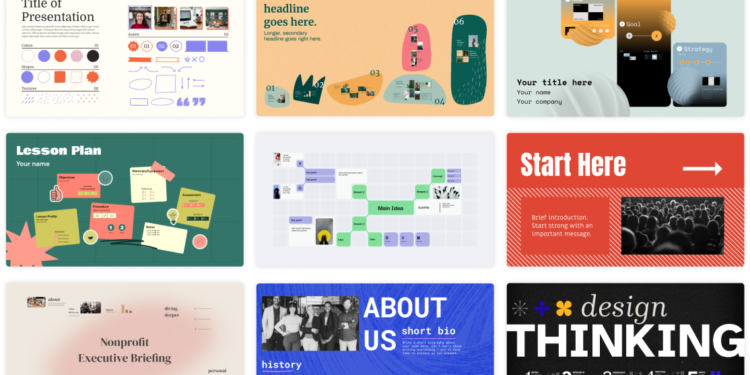
Prezi is a presentation tool built around a zooming, non-linear canvas. Instead of moving through a straight sequence, you place ideas on a larger visual space and move between them, zooming into detail and back out to the whole. It includes AI features to help generate outlines and content, can import existing PowerPoint decks on higher plans, and offers analytics on how viewers engage with shared presentations.
The connection to Impact is in communication. The Method holds that work only creates impact when others understand it well enough to act on it. A format that shows how parts relate to the whole can make a complex idea easier to grasp, remember, and share.
What Prezi Does Differently
The central difference is structure. Because Prezi lets you return to an overview between sections, the audience always knows where they are in the larger story. For content like a framework, a strategy, or a journey with several stages, that constant sense of the whole can make the difference between a presentation that is followed and one that is remembered.
The second difference is flexibility during delivery. A non-linear canvas allows you to move to the part of the story that matters most to a particular audience, instead of clicking through slides that are not relevant to them. That makes it well suited to conversations, workshops, and pitches where questions shape the path.
The Honest Part
The zooming format takes practice. Used carelessly, constant movement can distract or even disorient an audience. The strongest Prezi presentations use motion sparingly and only to reinforce the structure of the story.
The free plan only allows public presentations and excludes AI features. Private presentations and heavier AI use require paid plans, and PowerPoint import is available from the Plus tier. If your organization is fully standardized on PowerPoint or Google Slides, switching formats may create more friction than it removes. Check Prezi’s site for current plans and pricing.
Three Principles Worth Keeping in Mind
- Design the overview first. Before adding any detail, decide what the whole picture looks like and how its parts relate. The overview is the backbone of a good Prezi.
- Move with purpose. Every zoom or transition should help the audience understand where they are and why the next idea follows. If a movement does not serve the story, remove it.
- Rehearse the path, then prepare alternatives. Practice the main route through your content, and know how you would jump to other sections if the conversation goes there. Flexibility is the format’s strength only if you are ready to use it.
Where This Fits in the Bigger Picture
Ideas do not spread because they are good. They spread because someone explained them in a way others could understand and repeat. The format of that explanation matters more than most people assume.
Prezi is a strong option for anyone who needs to present connected ideas rather than isolated points. Used with discipline, it helps turn careful thinking into communication that moves people, which is where Mastery of the message becomes real Impact.
FAQ
Can I keep a Prezi presentation private on the free plan?
No. The free Basic plan only allows public presentations. Private presentations require a paid plan.
Can I import my existing PowerPoint slides into Prezi?
Yes, PowerPoint import is available starting on the Plus plan. Check Prezi’s site for current plan features, since AI allowances and plan details change periodically.