
Remote work introduced a problem that in-person work mostly avoided: it became hard to know where time was going. Not because people were dishonest, but because without shared physical context, the link between time spent and work produced became harder to track, report, and invoice accurately.
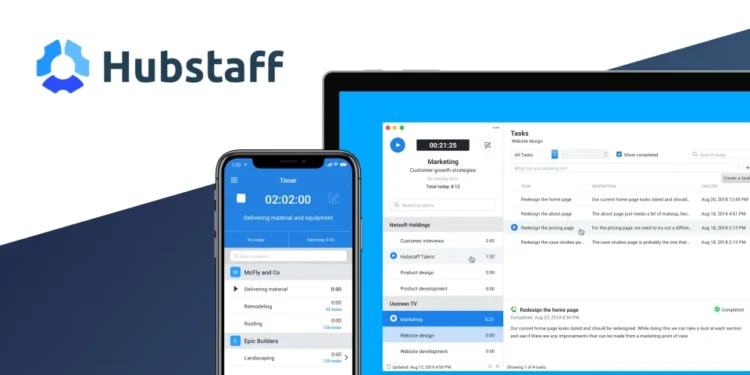
Hubstaff is a time tracking and workforce management platform for remote and distributed teams. It tracks time against projects and tasks, offers optional activity monitoring and location tracking for field teams, produces timesheets and reports, and can handle payroll and invoicing based on tracked hours.
The connection to System is measurement. The Method treats measurement as a prerequisite for improvement. Teams that do not track time systematically tend to underbill, misallocate resources, and struggle to improve because they lack data on where effort actually goes.
What Hubstaff Does Differently
The main difference is low-effort tracking. Once a timer is started, it runs in the background while people work, linked to the relevant project, so time records do not depend on remembering and reconstructing hours at the end of the week.
The second difference is the reporting layer. Project time reports, team utilization views, and budget tracking against hours give managers a real picture of effort compared with plans and invoices, which improves pricing and scoping over time.
The Honest Part
Activity monitoring, especially screenshots, is a sensitive feature. Some teams find it useful for accountability. Others find it creates a surveillance dynamic that damages trust. Which features you enable, and how you introduce them, largely determines how the tool is received.
The data is only as good as timer discipline. Inconsistent use makes reports unreliable. Pricing is per user with different feature tiers, so check Hubstaff’s site for current plans.
Three Principles Worth Keeping in Mind
- Explain the purpose before deploying. A short, honest explanation of why the tool is used and what the data is for prevents weeks of resistance.
- Use data to improve, not to police. Time data is most valuable for scoping, pricing, and capacity planning.
- Connect it to your project tools. Linking time entries to tasks in your project management system makes the data useful for future planning.
Where This Fits in the Bigger Picture
Time is the only resource that cannot be recovered once spent. For client work, project-based work, or anything that must be billed or reported, knowing where time goes makes pricing, planning, and hiring decisions more accurate.
Hubstaff brings that data into a System. Combined with consistent use and a culture of trust, it turns time from something that disappears into something that informs better decisions and greater Impact.
FAQ
Does Hubstaff work for freelancers?
Yes. Individual freelancers can use it to track time and bill clients, without needing the team management features.
What does Hubstaff integrate with?
It integrates with many project management, accounting, and payroll tools. The current list is available on Hubstaff’s website.