People judge the care behind an idea partly by how it looks. A framework drawn as a clear diagram, a consistent set of icons across a guide, or a simple, well-made logo for a new project all signal that the work behind them was done with attention. Rough, inconsistent visuals send the opposite signal, even when the thinking is strong.
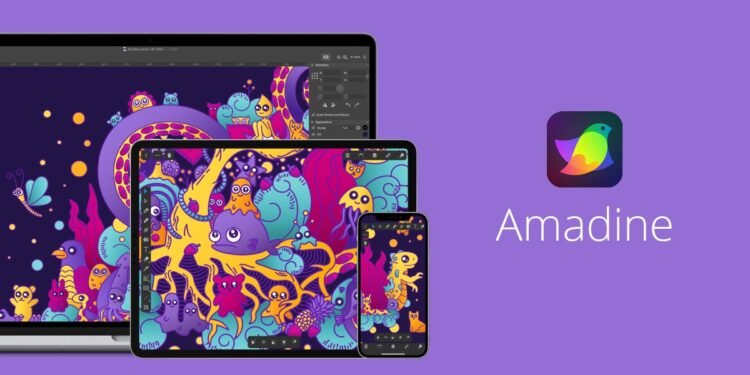
Amadine is vector design software for creating logos, icons, illustrations, and diagrams. It offers pen, shape, and path tools for graphics that stay sharp at any size, layers and groups to organize larger projects, and export to common formats such as SVG, PDF, and PNG. It has a simpler interface than heavy professional suites and is sold as a one-time license rather than a monthly subscription.
The connection to Mastery is in the craft of visual expression. The Method treats the quality of execution as a reflection of an inner standard. Learning to produce your own clean visuals, instead of settling for generic templates, is a skill that compounds across every piece of work you share.
What Amadine Does Differently
The most practical difference is the pricing model. Many design tools require an ongoing subscription. Amadine is bought once, which makes it attractive for someone who needs reliable vector tools without adding another recurring cost.
The second difference is the learning curve. Professional vector suites are powerful but can be intimidating for someone who designs occasionally. Amadine focuses on the core tools most people actually need for logos, icons, and diagrams, which makes it easier to start producing useful work quickly.
The Honest Part
Amadine is not a replacement for the leading professional design suites in teams that are standardized on them. It has fewer advanced features and a smaller community of tutorials and templates. It is also a vector tool, not a photo editor, so it will not help with retouching images.
Availability and pricing depend on the platform and the store you buy from, so check the official site before purchasing. A trial is available, and it is worth using it to design one real asset before committing.
Three Principles Worth Keeping in Mind
- Learn paths before effects. The pen tool and basic shapes are the foundation of all vector work. Time spent mastering them pays off far more than time spent exploring decorative effects.
- Build a small visual system. Choose a limited set of colors, line weights, and icon styles, and reuse them. Consistency across your visuals does more for clarity than any single well-designed graphic.
- Export for the destination. Use SVG for the web where possible, PDF for print, and PNG where compatibility matters. The right format keeps your work sharp wherever it appears.
Where This Fits in the Bigger Picture
Clear visuals are not decoration. They are a way of making ideas easier to understand, remember, and trust. For anyone who writes, teaches, or builds, the ability to create those visuals independently is a quiet but real advantage.
Amadine offers an affordable path to that ability. Used with patience and a simple visual system, it supports the Mastery of expression that helps good work reach its full Impact.
FAQ
Is Amadine free?
No. It offers a trial, then a one-time license. Check the official site for the current price on your platform.
Can Amadine edit photos?
No. Amadine is built for vector graphics such as logos, icons, and illustrations, not for photo retouching.