Most plans do not fail because they were badly written. They fail because they stay where they were written. A strategy lives in a slide deck, a quarterly goal lives in a notebook, and a list of priorities lives in a document nobody opens again after the meeting that produced it. The gap between the plan and the week that follows is where most intentions quietly disappear.
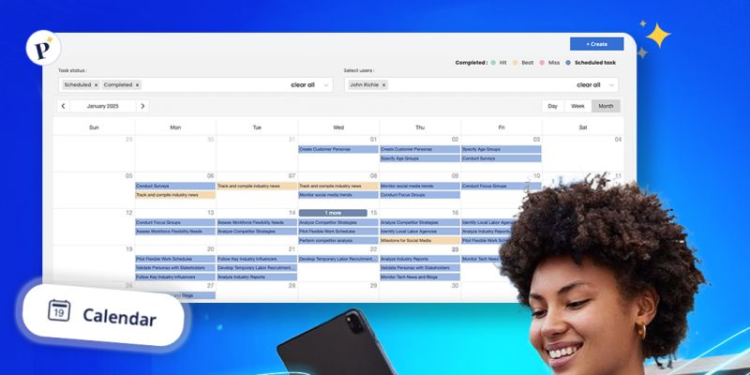
Plansom is an AI planning tool built for that gap. You give it your goals, or the documents that already contain them, such as a business plan, a pitch deck, a set of objectives, or a messy task list, and it drafts a prioritized plan with tasks, owners, and deadlines. It then keeps recommending the next action most likely to move each goal forward, tracks progress against the results you define, and flags work that is at risk of slipping.
The connection to Intention is direct. The Method starts with clarity about what you are trying to achieve and why, but clarity only matters if it shapes what you do on Monday morning. Plansom is a way to make sure a clearly stated intention is translated into concrete, ordered steps instead of remaining a statement on paper.
What Plansom Does Differently
Most task tools start empty and wait for you to decide what goes in them. Plansom starts from what you already have. You can upload up to five files, including PDF, Word, PowerPoint, Excel, and CSV documents, and it proposes a plan from their content. For anyone who has just finished a strategy session, a retreat, or a long planning document, this removes the tedious and often skipped step of converting ideas into tasks.
The second difference is focus on outcomes rather than activity. Plansom’s AI Coach scores tasks and suggests the next action that matters most, and its reporting tracks progress against success metrics you set. Plans can also be shared by link, so a mentor, adviser, or partner can follow progress without creating an account. It runs on the web, on iOS and Android, and inside Microsoft Teams.
The Honest Part
An AI plan is only as good as the thinking that went into the documents behind it. If the goals are vague or contradictory, Plansom will produce a well-organized version of vague or contradictory work. It accelerates the translation of a plan into action. It does not replace the harder work of deciding what is worth doing in the first place.
The free plan is useful for testing but limited: five goals, one hundred tasks, and one AI-generated plan per month. The Pro plan is priced per user, so the cost grows with the team. There is a seven-day trial of the full product that does not require a card, which is the right way to judge whether its recommendations actually match how you work.
Three Principles Worth Keeping in Mind
- Write the goal before you upload anything. A single clear sentence describing the result you want, and how you will know you reached it, gives the AI plan something solid to organize around. Uploading documents without a stated goal produces a list, not a direction.
- Review the generated plan as a draft, not a verdict. Remove tasks that do not serve the goal, adjust deadlines to your real capacity, and reorder anything the tool ranked differently from your own judgment. The plan becomes yours at the moment you edit it.
- Protect a weekly review. The value of any planning tool comes from returning to it. A fixed weekly moment to check progress, accept or reject the next recommended actions, and close finished tasks is what keeps the plan alive after the first enthusiasm fades.
Where This Fits in the Bigger Picture
The distance between intention and impact is rarely crossed in a single leap. It is crossed through a sequence of small, deliberate actions taken in the right order and repeated over time. A planning system is valuable to the extent that it makes that sequence visible and keeps it moving.
Plansom is useful for someone who already knows what they want to build and needs help turning that knowledge into a steady rhythm of execution. Used that way, it supports the move from Intention to Continuity, which is where most meaningful Impact is actually made.
FAQ
Can Plansom build a plan from documents I already have?
Yes. You can upload up to five files, with a combined size of up to 20 MB, including PDF, Word, PowerPoint, Excel, and CSV formats, and Plansom drafts a prioritized plan from their content. Review and edit that draft before relying on it.
Is there a free way to try Plansom?
Yes. There is a free plan limited to five goals, one hundred tasks, and one AI plan per month, and a seven-day trial of the full product that does not require a credit card. Check Plansom’s site for current pricing before committing to a paid plan.