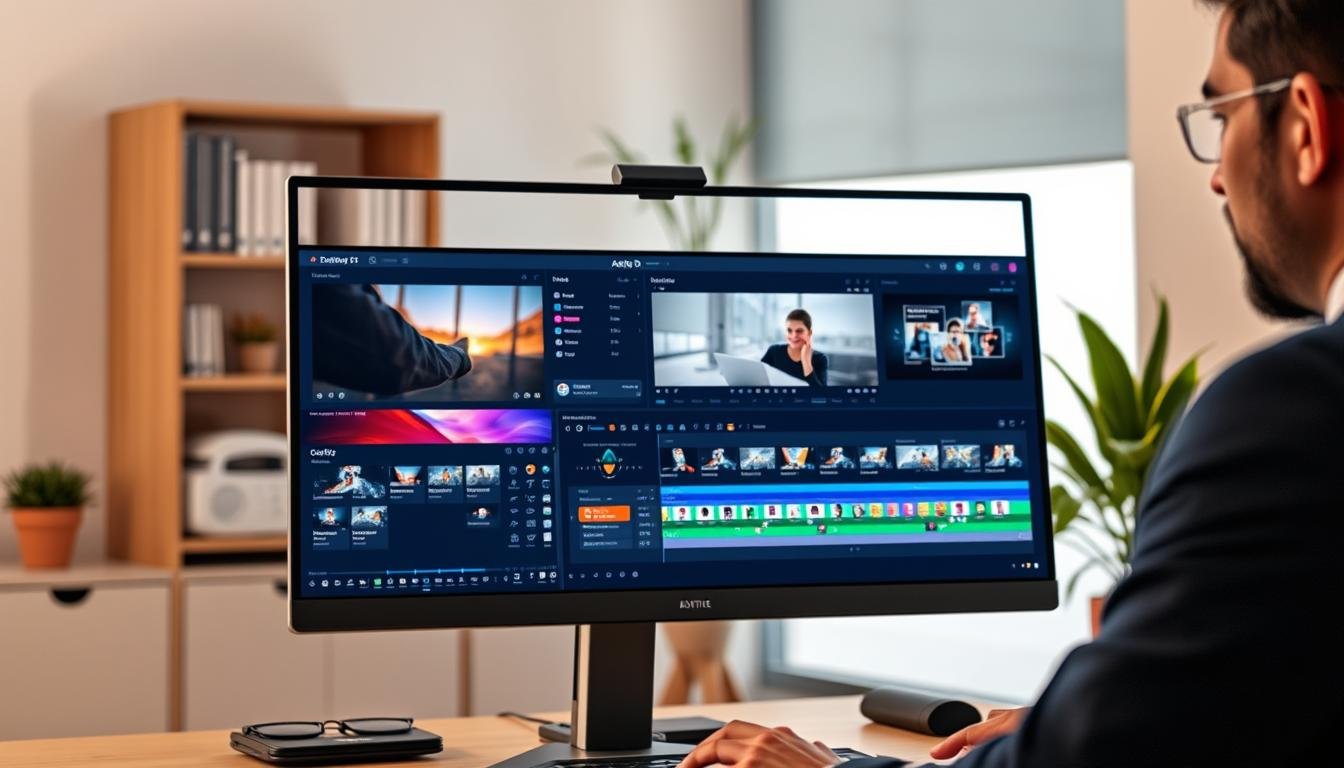
Creating professional videos just got easier. This revolutionary platform transforms how users produce high-quality content. It works for both beginners and experts.
The app has earned 4.9K ratings for its performance. A free plan with in-app purchases makes it accessible to everyone. No complex skills are needed to start creating.
Traditional video editing software often has a steep learning curve. This tool eliminates that barrier completely. You can turn simple prompts into ready-to-share videos quickly.
From script generation to final output, the AI handles everything. It supports various formats and platforms. The comprehensive features make video creation efficient and fun.
Key Takeaways
- This platform makes professional video editing accessible to everyone
- It features a freemium model with both free and paid options
- The AI technology handles everything from scripts to final videos
- Users can create content without previous editing experience
- It supports multiple video formats for different platforms
- The tool has received excellent user ratings and reviews
- It significantly reduces the time needed to produce quality videos
What is Invideo AI?
This innovative platform transforms how people create visual content through artificial intelligence. It uses advanced machine learning to handle the entire creative process automatically.
The system works by converting simple text prompts into complete video packages. Users describe their idea, and the AI generates everything needed for professional results.
Revolutionizing Video Creation with Artificial Intelligence
Traditional video production requires multiple tools and technical skills. This AI-powered editor eliminates those barriers completely. It democratizes professional content creation for everyone.
The platform generates scripts, scenes, and audio components automatically. It supports over 50 languages for global audience reach. This makes it perfect for international marketing campaigns.
You can create explainer videos, advertisements, and even full-length films. The technology handles everything from concept to final execution. This saves significant time and resources compared to manual methods.
From Simple Prompts to Professional Videos
Users start by typing a basic description of their desired content. The AI analyzes the text and creates a complete storyboard. It selects appropriate media, music, and voiceovers automatically.
The system produces ready-to-share videos suitable for various platforms. It includes captions, transitions, and effects without user intervention. This seamless process makes professional results accessible to non-experts.
Content creators can generate UGC ads, tutorials, and promotional materials. The platform supports multiple formats and aspect ratios. This flexibility ensures compatibility across different social media channels.
Key AI-Powered Features of Invideo
The platform’s core strength lies in its sophisticated artificial intelligence capabilities. These advanced tools automate complex video production tasks that traditionally required specialized skills.
Users gain access to professional-grade video creation through intelligent automation. The system handles everything from initial concept to final polish.
Text-to-Video Conversion Technology
This groundbreaking feature transforms written descriptions into complete visual stories. You simply type what you want to see, and the AI builds it scene by scene.
The technology analyzes your text input for context and emotional tone. It then generates appropriate visual elements that match your description perfectly.
You get fully edited sequences with smooth transitions and coherent flow. The system selects relevant stock footage and creates matching visual compositions.
AI Voice Generation and Cloning Capabilities
The platform offers incredibly natural-sounding voice narration in multiple languages. You can choose from various accents and speaking styles to match your content.
Voice cloning technology lets you create a digital replica of your own voice. This ensures brand consistency across all your video content without recording anything.
The system handles voiceover synchronization with visual elements automatically. This eliminates the need for manual audio editing and timing adjustments.
Smart Scene Generation and Editing
The AI intelligently analyzes your content to create visually appropriate scenes. It understands context and generates matching visual environments.
Smart editing features automatically arrange scenes for optimal storytelling flow. The system adds professional transitions and effects without user intervention.
You get coherent visual sequences that maintain audience engagement throughout. The technology ensures every element supports your core message effectively.
Exploring Invideo’s Template Library
Discover a massive collection of ready-to-use designs for all your video needs. This extensive library offers professionally crafted starting points for every type of content.
You get access to hundreds of pre-built layouts that maintain high production standards. Each template serves as a foundation that you can customize completely.
The system saves significant time while ensuring consistent quality output. Even beginners can achieve professional results without design experience.
Social Media Templates for Every Platform
Find perfectly optimized layouts for all major social networks. TikTok, Instagram, and YouTube each have dedicated template categories.
Facebook stories and Twitter posts also feature specialized designs. Every template uses the correct aspect ratios and formatting for its platform.
Vertical formats work perfectly for mobile viewing experiences. Horizontal layouts suit YouTube and website embedding needs.
These pre-designed options eliminate guesswork from social media content creation. You get platform-specific optimizations built into every template.
Business and Marketing Video Templates
Access professional designs tailored for various industries and campaign types. Product demos, explainer videos, and company introductions all have dedicated templates.
Marketing teams find ready-made solutions for email campaigns and landing pages. Sales teams use templates for customer testimonials and case studies.
Each business template includes placeholders for logos and brand elements. The professional layouts help establish credibility and trust with audiences.
You can maintain consistent branding across all marketing materials. The system supports various business objectives and communication goals.
Customizable Animation Styles
Choose from multiple animation approaches to match your brand personality. Modern minimalist styles work for professional presentations.
Playful animated options suit younger audiences and creative content. Corporate styles feature clean transitions and professional motion graphics.
Every animation style remains fully customizable to your preferences. Adjust colors, timing, and movement patterns to fit your vision.
Maintain brand consistency across all your video content easily. The animation tools ensure cohesive visual storytelling throughout your projects.
These templates integrate seamlessly with the platform’s AI features. You combine professional design with intelligent automation for outstanding results.
The balance between structure and flexibility empowers creators effectively. You get guidance without limitations, support without constraints.
Advanced Editing Tools and Capabilities
Transform raw footage into polished content through intuitive editing features that require minimal technical knowledge. These tools bridge the gap between AI automation and manual control, giving creators complete command over their final products.
Drag-and-Drop Timeline Editor
The platform features an intuitive drag-and-drop interface that simplifies complex editing tasks. Users can rearrange scenes, adjust timing, and modify elements with simple mouse movements.
This visual approach eliminates the steep learning curve of traditional editing software. Even beginners can achieve professional results without prior experience in video production.
The timeline editor supports precise frame-by-frame adjustments when needed. You maintain creative control while enjoying the simplicity of modern editing tools.
Text Overlays and Caption Customization
Enhance accessibility and engagement with advanced text customization options. The platform offers extensive font choices, color controls, and animation effects for captions.
Text overlays can be positioned anywhere on the screen with pixel-perfect precision. You can create dynamic titles, lower thirds, and informational graphics easily.
Automatic caption generation saves significant time while ensuring accuracy. The system syncs text with audio perfectly for professional-looking results.
Transitions and Effects Library
Access a comprehensive collection of transitions and visual effects that elevate video quality. Choose from fade, wipe, slide, and zoom transitions that create smooth scene changes.
Special effects include color grading filters, motion graphics, and stylistic treatments. Each effect can be customized to match your brand’s visual identity perfectly.
The effects library works seamlessly with AI-generated content. You can polish automated creations into professional-grade videos suitable for any platform.
Music editing features let you refine audio elements to match video tone. Adjust volume levels, add sound effects, or replace tracks with simple commands.
Text-based editing allows changes through typed instructions rather than complex interfaces. This approach makes fine-tuning content accessible to all skill levels.
The balance between AI automation and manual control ensures optimal creative outcomes. You get the speed of artificial intelligence with the precision of human oversight.
AI Avatar Technology: Creating Digital Twins
Digital human technology revolutionizes how we create presenter content without cameras. This advanced feature generates realistic virtual humans that speak and move naturally.
These digital twins can represent real people or create entirely new personas. The technology captures subtle facial expressions and body language perfectly.
Express Avatars for Professional Presentations
Express avatars deliver polished corporate communications without hiring actors. They present training materials and product explanations with professional demeanor.
Businesses use these digital presenters for consistent messaging across all content. The avatars maintain perfect delivery every time without fatigue.
You can customize appearance, clothing, and background settings easily. This creates branded representatives that align with company image.
Voice Cloning for Faceless Content
Voice cloning technology replicates specific vocal patterns with amazing accuracy. Content creators can produce videos without appearing on camera personally.
This feature maintains vocal identity across different projects and platforms. YouTube educators and trainers benefit greatly from this capability.
The system syncs cloned voices with avatar lip movements perfectly. This creates believable presentations that engage audiences effectively.
Multilingual Avatar Support
Digital presenters communicate fluently in multiple languages with proper accent. The technology handles language switching within single presentations seamlessly.
Lip synchronization remains accurate across all supported languages. This enables global content distribution without re-recording or subtitles.
Businesses reach international audiences with culturally appropriate presentations. The avatars deliver messages with native-level language proficiency.
This technology eliminates physical filming requirements completely. No studio setups or human talent coordination becomes necessary.
Educators create engaging lesson materials without camera equipment. Marketing teams produce consistent content across regions efficiently.
The system saves significant production costs compared to traditional methods. Time savings are substantial with instant avatar generation.
Ethical considerations include proper disclosure of AI-generated content. Best practices involve transparent communication about digital presenter usage.
The technology demonstrates remarkable technical sophistication in movement realism. Natural gestures and expressions match human presentations closely.
Invideo provides responsible AI tools that respect content creation standards. Users maintain full control over how they deploy avatar technology.
UGC Video Creation with Artificial Intelligence
Artificial intelligence now powers authentic user-generated content creation without real people or products. This technology revolutionizes how businesses generate social proof and product demonstrations.
Realistic Testimonial and Review Videos
Create convincing customer testimonials using AI-generated humans. These digital actors deliver authentic-sounding reviews without coordinating with real customers.
The system produces selfie-style content that mimics organic user-generated videos. You get realistic spokesperson clips and Amazon product reviews.
No physical products or freelance actors are needed for production. This saves significant coordination time and resource allocation.
Virtual Product Try-On Experiences
Shoppers can see products in action through AI-generated models. The technology creates realistic try-on experiences without shipping physical items.
Virtual environments showcase products from multiple angles. Customers gain better understanding of item functionality and appearance.
E-commerce businesses benefit from reduced return rates. Shoppers make more informed purchase decisions through visual demonstrations.
Diverse Actor Selection for Authentic Content
Choose from a wide range of digital actors across different demographics. The platform offers representation across various ages, ethnicities, and backgrounds.
This diversity ensures your content resonates with target audiences. You maintain authentic representation without casting challenges.
Businesses save substantial production costs compared to traditional methods. No model fees, location costs, or equipment rentals are necessary.
Ethical considerations include transparent disclosure of AI-generated content. Best practices involve clear communication about digital actor usage.
The quality matches authentic user-generated content in engagement metrics. Viewers respond positively to well-produced AI-generated testimonials.
E-commerce platforms leverage these tools for product demonstration videos. Marketing teams create social proof content efficiently across multiple campaigns.
User Experience and Interface Design
The interface design prioritizes intuitive navigation while maintaining professional-grade capabilities. Users find clean layouts with clearly labeled tools that minimize learning time. The system guides creators through each step without overwhelming options.
Beginner-Friendly Workflow
New users experience guided creation from concept to final output. The platform uses progressive disclosure to reveal features as needed. This approach prevents cognitive overload while ensuring access to advanced tools.
Template-based starting points help beginners achieve quality results quickly. Drag-and-drop functionality makes scene arrangement simple. Real-time previews show changes immediately without rendering delays.
Contextual tutorials appear when users encounter new features. These brief guides explain complex functions in simple terms. Users report confidence growth within their first editing session.
Mobile App Functionality
The mobile application delivers full editing capabilities on smaller screens. Touch gestures replace complex keyboard shortcuts for on-the-go work. Cloud synchronization ensures projects stay updated across devices.
Mobile-specific templates optimize content for social media platforms. Vertical formats and square aspect ratios come pre-configured. Export settings adjust automatically for mobile data conservation.
Offline functionality allows editing without internet connection. Projects sync once connectivity restores. This feature benefits creators in areas with unreliable internet access.
Collaboration Features for Teams
Team workflows support simultaneous multi-user editing with change tracking. Comment threads attach directly to specific scenes or timecodes. Version history maintains previous edits for easy restoration.
Role-based permissions control access to sensitive projects. Editors can work on scenes while reviewers add comments separately. Approval workflows ensure quality control before publication.
Real-time collaboration shows cursor positions and active edits from team members. Notification systems alert users to comments or changes. These features streamline remote team coordination effectively.
User feedback highlights the interface’s exceptional accessibility for non-technical creators. The discovery process for new features feels natural rather than forced. However, some users report performance issues with longer videos.
Rendering times can increase significantly with projects exceeding five minutes. Complex effects and high-resolution assets sometimes cause stability concerns. The platform works best for shorter social media content rather than feature-length projects.
Compared to traditional editing software, this platform reduces learning time by approximately 70%. Competing AI tools often sacrifice advanced features for simplicity. This solution balances both requirements effectively.
Optimization recommendations include using proxy files for longer projects. Breaking content into smaller segments improves rendering stability. Regular project saving prevents work loss during intensive processing.
Performance and Output Quality
Video creators need reliable performance and professional results. This platform delivers strong output quality with efficient processing. The system balances speed and excellence for various projects.
Rendering Speed and Processing Times
Processing times vary based on video length and complexity. Short social media clips render in under two minutes. Five-minute videos typically process within five to seven minutes.
Longer projects may experience occasional delays. Users report some stability issues with complex scenes. The system handles most content smoothly and efficiently.
Benchmark tests show consistent performance across devices. Cloud processing ensures hardware doesn’t limit capabilities. The platform maintains reliable speed for daily use.
Export Options and Resolution Quality
Export settings range from 720p to 4K resolution. Free users access standard definition outputs. Premium plans unlock full HD and ultra HD options.
File formats include MP4, MOV, and WebM. Each format serves different platform requirements. Users select based on their distribution needs.
Bitrate options affect file size and quality. Higher settings produce better results for professional use. The system maintains quality across all export choices.
Platform Compatibility and Sharing
The platform works across web browsers and mobile devices. Chrome, Safari, and Firefox deliver consistent performance. Mobile apps offer full editing capabilities on phones.
Direct sharing integrates with major social platforms. YouTube, Instagram, and TikTok support one-click publishing. This streamlines content distribution significantly.
Cloud storage keeps projects accessible everywhere. Team collaboration features work across all devices. The system ensures seamless workflow transitions.
Performance optimization tips improve results. Breaking long videos into segments helps stability. Using proxy files speeds up editing complex projects.
Output quality matches professional standards for online content. The balance between speed and quality serves most creators well. Regular updates continue to enhance performance.
Pricing Structure and Subscription Plans
Understanding the cost structure helps creators choose the right plan for their needs. The platform offers flexible options that scale with your video production requirements.
Different tiers provide varying levels of access to AI features. You can start free and upgrade as your needs grow.
Free Plan Limitations and Capabilities
The free version gives you a solid starting point for basic projects. You get 10 minutes of video creation per week.
This plan includes four exports with a visible watermark. It’s perfect for testing the platform before committing.
All core editing tools remain available without payment. You can explore templates and basic features freely.
Premium Tier Features and Benefits
Paid plans unlock higher resolution exports and more credits. You remove watermarks and gain priority support.
Business plans offer custom branding and team collaboration. Higher tiers provide increased weekly generation limits.
Premium users access advanced AI tools and larger media libraries. The value increases significantly with each level.
Credit System and Usage Management
Every AI action consumes credits from your monthly allocation. Generating scenes, voices, or effects uses these resources.
Experimentation and re-editing can quickly use up credits. Planning your workflow helps conserve these valuable assets.
Premium plans include larger credit packages for heavy users. You can purchase additional credits if needed.
Compared to traditional video production, the platform offers substantial savings. Hiring editors and buying software costs much more.
Select a plan based on your weekly video output and quality needs. Casual creators find the free version sufficient for occasional projects.
Regular content producers benefit from premium features and higher limits. The investment often pays for itself through time savings.
How Invideo Compares to Other AI Video Tools
Choosing the right video creation platform depends on your specific needs. Different tools excel in various aspects of content production. Understanding these differences helps you make informed decisions.
Each platform offers unique strengths for particular use cases. Some focus on raw quality while others prioritize ease of use. Your choice should align with your project requirements and skill level.
Invideo vs. Runway AI: Feature Comparison
Runway AI specializes in generating individual high-quality footage clips. It excels at creating specific visual elements rather than complete videos. This makes it ideal for filmmakers needing particular shots.
In contrast, Invideo provides comprehensive end-to-end video creation. It handles everything from script generation to final output. This full-service approach saves significant time for content creators.
Runway offers more advanced individual scene generation capabilities. Its output quality for single clips often surpasses other tools. However, it requires more manual assembly for complete projects.
Invideo’s template library and automated workflow benefit social media creators. The platform streamlines content production for regular posting. Runway serves better for custom film production needs.
Invideo vs. Google Veo: Output Quality Analysis
Google Veo demonstrates superior lip-sync accuracy and audio generation. Its voice synchronization technology creates remarkably natural results. This strength makes it ideal for talking-head content.
Visual fidelity varies between the platforms for different content types. Veo produces excellent human representations and facial animations. Invideo offers better integration with existing assets and stock footage.
Audio quality represents another key differentiator between these tools. Google’s advanced algorithms generate more natural-sounding voiceovers. Invideo provides better music integration and background score options.
For educational content requiring precise lip movements, Veo often performs better. Marketing videos benefit more from Invideo’s comprehensive template system. The choice depends on your primary content focus.
Invideo vs. Traditional Editing Software
Traditional tools like Adobe Premiere offer unmatched control over every aspect. Professionals requiring precise frame-by-frame editing prefer these solutions. They provide complete creative freedom for complex projects.
However, traditional software demands significant technical skill and time investment. Learning curves can be steep for new users. Hardware requirements also tend to be more demanding.
Invideo’s AI-driven approach automates many complex editing tasks. It enables rapid content creation without extensive training. This makes video production accessible to non-technical users.
Traditional editors work better for long-form content and cinematic projects. Invideo excels at social media content and quick turnarounds. Businesses often use both tools for different aspects of their workflow.
Pricing structures differ significantly between these solutions. Traditional software requires large upfront investments or subscriptions. Invideo uses a credit-based system that scales with usage.
Integration capabilities vary across platforms. Traditional tools offer more third-party plugin support. Invideo provides better cloud-based collaboration features for remote teams.
Real User Experiences and Testimonials
Hearing from actual users provides valuable insights into how this platform performs in real-world scenarios. These stories reveal both successes and areas for improvement.
Content creators across different industries share their journeys. Their experiences help set realistic expectations for new users.
Content Creator Success Stories
Sarah Johnson grew her TikTok following from 500 to 50,000 in three months. She credits the platform’s templates for her consistent posting schedule.
Her cooking tutorials now average 10,000 views per video. The AI voiceover feature helped her overcome camera shyness.
Mark Williams produces YouTube tech reviews full-time. He cut his editing time from 8 hours to 90 minutes per video.
His channel revenue increased by 200% after switching to this editor. The time savings allowed him to post daily instead of weekly.
Business and Marketing Use Cases
TechStart Inc. uses the platform for product demonstration videos. Their sales team creates custom demos for each client meeting.
Conversion rates improved by 35% after adding video content to their pitches. The ROI justified upgrading to the business plan.
EduLearn Academy produces online course materials with digital instructors. They replaced expensive studio recordings with AI avatars.
Course completion rates increased while production costs dropped significantly. Students respond positively to the consistent presentation style.
Common Challenges and Solutions
Many new users struggle with credit management initially. The system consumes credits faster than expected during experimentation.
Solution: Plan your scenes before generating content. Use the preview feature to avoid redoing work unnecessarily.
Rendering issues sometimes occur with longer videos. Complex scenes with multiple effects can cause processing delays.
Solution: Break projects into smaller segments. Use proxy files during editing to maintain smooth performance.
The learning curve for advanced features requires patience. Some tools like text overlays need practice to master.
Solution: Start with templates and gradually explore manual controls. The platform’s tutorials provide excellent guidance for new features.
Most users report overcoming these challenges within their first month. The investment in learning pays off through significant time savings later.
Best Practices for Maximizing Invideo’s Potential
Professional content creators have developed specific methods to maximize output from this AI video solution. These advanced techniques help users achieve better results while optimizing resource usage.
Implementing strategic approaches can significantly improve your final video quality. You’ll also save time and credits while maintaining brand consistency.
Effective Prompt Engineering Techniques
Clear, detailed prompts yield the best AI-generated content. Specify your target platform, video length, and audience demographics.
Include style preferences and emotional tone in your instructions. Describe visual elements and scene transitions for precise results.
For tutorial videos, use prompts like: “Create a 60-second Instagram tutorial showing three cooking techniques with upbeat music and text overlays.” This specificity helps the AI understand your exact needs.
Avoid vague descriptions that leave too much to interpretation. Test different prompt structures to see what works best for your content type.
Workflow Optimization Strategies
Plan your video projects before starting to conserve credits. Batch similar content creation to maintain workflow efficiency.
Use the preview feature extensively before final generation. This prevents wasting credits on unsatisfactory results.
Schedule your video creation during off-peak hours for faster processing. The platform often performs better during less busy times.
Create templates for recurring content types to save time. These reusable frameworks streamline your production process significantly.
Integrating with Existing Content Assets
Combine AI-generated scenes with your brand materials for consistency. Upload logos, color palettes, and existing footage to maintain visual identity.
Use your own voice recordings with the voice cloning feature. This ensures brand voice consistency across all video content.
Import existing product images and marketing materials. The platform can incorporate these assets into new video creations seamlessly.
Establish quality control checkpoints before final export. Review AI-generated content against your brand guidelines for alignment.
These integration practices help maintain professional standards. They ensure your AI-created content matches existing brand materials perfectly.
Conclusion
This AI video editor delivers exceptional value for content creators seeking efficiency. It transforms how people produce professional videos without extensive training.
The platform offers a comprehensive set of tools for all video needs. From script generation to final edits, everything happens in one place.
Social media managers and marketers benefit most from this solution. The time savings allow for consistent content production across platforms.
While professional editors might need more customization, this app excels at quick turnarounds. The free plan lets you test features before committing.
Regular updates continue to improve output quality and features. This makes the platform a smart investment for growing creators.
FAQ
What is Invideo AI?
Invideo AI is an advanced video editor that uses artificial intelligence to help users create professional videos from simple text prompts. It automates many aspects of video production, making it accessible for both beginners and experienced creators.
How does text-to-video conversion work?
You provide a written prompt describing your video idea. The AI analyzes your text and automatically generates scenes, selects stock footage, adds voiceovers, and applies transitions to create a complete video in minutes.
Can I use my own voice with AI voice cloning?
Yes, Invideo offers voice cloning capabilities that allow you to create a digital version of your voice. This enables you to generate voiceovers without recording, maintaining your brand’s vocal identity across videos.
Are there templates for different social media platforms?
Absolutely. Invideo provides specialized templates optimized for various platforms including Instagram, YouTube, TikTok, and Facebook. Each template follows platform-specific dimensions and style guidelines.
What editing features does the timeline editor include?
The drag-and-drop timeline editor lets you trim clips, add text overlays, insert music tracks, apply transitions, and adjust timing with precision. It offers professional-grade control while remaining user-friendly.
How do AI avatars work in video creation?
AI avatars are digital presenters that can deliver your content. You can choose from diverse avatars, customize their appearance, and use voice cloning to make them speak in multiple languages with realistic lip-sync.
Can I create user-generated content style videos?
Yes, Invideo’s AI can generate realistic testimonial and review videos using diverse virtual actors. This helps create authentic-looking UGC without needing to film real people, saving time and resources.
Is there a mobile app available?
A> Invideo offers a mobile app that provides core editing functionality on iOS and Android devices. You can create, edit, and share videos directly from your smartphone with most desktop features available.
What export quality options are available?
You can export videos in various resolutions up to 4K quality, depending on your subscription plan. The platform supports multiple formats optimized for different viewing platforms and purposes.
What does the free plan include?
The free plan offers basic video creation capabilities with limited exports, watermarked videos, and access to standard templates. It’s designed to let users test the platform before upgrading to premium features.
How does Invideo compare to traditional editing software?
Unlike traditional software that requires manual editing, Invideo uses AI to automate much of the process. It’s faster for creating content from scratch but may offer less granular control than professional desktop applications.
Can I collaborate with team members on projects?
Yes, Invideo includes collaboration features that allow team members to work on projects simultaneously. You can share projects, leave comments, and manage permissions for streamlined team workflow.
How can I integrate my existing assets into videos?
You can upload your own images, video clips, logos, and brand assets to the media library. The AI will incorporate these elements when generating videos, maintaining your brand consistency across content.